
7 Smart Parking System Buying Tips for Global Buyers

Time:2026-10-30 Author:Aria
0%

A Smart Parking System can reduce the uncertainty drivers face when searching for a space. But buying one is not simply a hardware decision. Sensors, cameras, payment tools, and guidance signs must work together across real sites, not just in a sales demonstration.

The scale of the problem is measurable. INRIX’s 2023 Global Traffic Scorecard reported that U.S. drivers lost an average of 42 hours to traffic congestion that year. That figure does not mean parking technology alone can solve congestion. It does show why buyers should examine how parking information is collected, updated, and shared. Meanwhile, the United Nations’ World Urbanization Prospects: The 2018 Revision projects that 68% of the world’s population will live in urban areas by 2050. More urban activity puts pressure on curbside spaces, garages, and transport connections.

For global buyers, the right system depends on local conditions. A sun-exposed outdoor lot may need different sensors from a covered garage with concrete pillars and weak network coverage. Ask vendors about detection accuracy, integration with existing payment and access systems, data ownership, cybersecurity practices, maintenance needs, and support across time zones. Request a live site trial, not only a polished dashboard. Small details matter.

Some trade-offs remain. Cameras can provide useful context, while sensors may suit sites with different privacy or installation needs. No single setup fits every location. The tips that follow help buyers compare evidence, lifecycle costs, and practical performance before choosing a Smart Parking System.
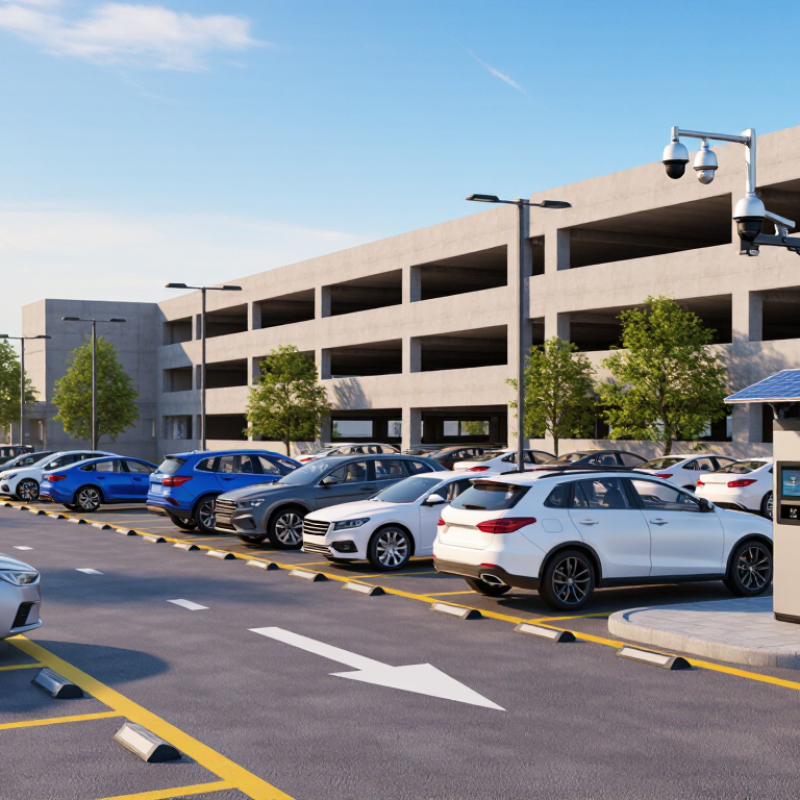
7 Smart Parking System Buying Tips for Global Buyers

Understanding Smart Parking Systems and Their Core Components

A smart parking system is a chain of devices and software, not just an app showing empty spaces. Its core components detect occupancy, send information, and help drivers find or use a space. At a curbside bay, a sensor may sit flush with the pavement; in a garage, overhead cameras may monitor several spaces. Small details matter.

Occupancy sensors report whether a space is free, while cameras can provide a wider view. Each method has trade-offs. A sensor may misread a vehicle parked over the line, and a camera can struggle with glare or heavy rain. That happens. A gateway collects readings and sends them over a wired or wireless network to parking software. The software displays availability, supports reporting, and may connect with signs, payment tools, or access equipment. No component works alone.

For a reliable setup, buyers should check how often readings update and what happens when a connection drops. Ask whether staff can identify a faulty sensor without inspecting every space. Confirm that the system fits the site layout, including ramps, covered areas, and busy entry lanes. Data handling deserves attention, especially where cameras are used; understand what is collected and how long it is retained. A tidy dashboard can look convincing, but it cannot fix poor sensor placement. Real site testing may reveal awkward gaps that a product demonstration misses.

Assessing Site Needs, Parking Capacity, and User Requirements

7 Smart Parking System Buying Tips for Global Buyers
Assessing Site Needs, Parking Capacity, and User Requirements

Before comparing systems, map arrivals by hour rather than relying on daily traffic totals. Count staff, visitors, deliveries, accessible spaces, and overlapping peak periods separately. A hospital entrance at 8 a.m. differs sharply from a warehouse shift change. Walk the site. Note queue lengths, turning space, lighting, drainage, and mobile signal strength; each can affect sensor performance.

The 2017 Parking Pain Index, covering 30 U.S. cities, estimated that drivers spent 17 hours per year searching for parking. This figure is not a forecast for every market, but it shows why search time belongs in system requirements. Estimate capacity using peak demand, turnover, and parking duration, not one occupancy snapshot. For example, 80 spaces may serve 110 short-stay visits, yet fall short when employees park all day.

Separate user groups and allow for future demand. Check proposed layouts with qualified site professionals to protect fire access and pedestrian routes. Leave some margin. Maximum capacity can still create queues when entry controls or payment steps are slow. Observe these processes during a busy period. Then define practical user needs: visible signs, clear payment instructions, accurate space availability, and safe walking routes. Ask drivers and operators what causes delays; their answers may conflict. That tension deserves attention.

7 Smart Parking System Buying Tips: Suggested Evaluation Weights

Use these suggested weights as a starting point when comparing systems. Adjust them to reflect your site survey, peak demand, user needs, and project budget.

Planning framework only—not survey results. Confirm capacity and traffic assumptions with on-site measurements.

Comparing Sensors, Cameras, Software, and Integration Options

A parking system should match the site, not just the sales demo. Ultrasonic sensors can detect vehicles in individual bays, while magnetic sensors may suit areas where overhead equipment is difficult to install. Cameras can cover several spaces at once, but performance depends on lighting, weather, and clear sightlines. Test the system near concrete pillars and under low evening light. Small obstacles matter.

Software is just as important as detection hardware. Check whether operators can view occupancy by zone, spot sensor outages, and export reports without specialist help. Ask how alerts appear when a device stops responding. A crowded dashboard is not useful. Request a live demonstration with sample data, and ask how long records are retained and who can access them.

Integration can determine the real cost of ownership. Confirm compatibility with existing gates, payment terminals, signs, and management systems before choosing equipment. Ask whether connections use documented interfaces, and who handles updates when another system changes. A pilot in one parking area can reveal blind spots, unreliable network coverage, or confusing driver instructions. It may not expose every issue, though. Record installation time, missed detections, and staff feedback during busy periods, then compare those results with the supplier’s stated requirements.

Evaluating Costs, Reliability, Security, and Vendor Support

Compare total ownership cost, not just the equipment quote. Include installation, payment processing, software, connectivity, maintenance, and replacement parts. A low bid can still be expensive. Ask vendors to price a five-year scenario and identify charges that may change. Check reliability claims against documented uptime, backup procedures, and repair response times. Uptime Institute’s 2024 outage analysis found that 54% of surveyed organizations reported their most recent significant outage cost more than $100,000. That figure concerns data-center outages, not parking systems, but it shows why downtime planning matters.

Security deserves the same scrutiny as hardware. Ask how data is encrypted, who can access system logs, and how quickly vulnerabilities are addressed. IBM’s 2024 Cost of a Data Breach Report put the global average breach cost at $4.88 million across industries. This is not a parking-specific estimate, yet it makes weak access controls a costly gamble. Request a clear security-update policy and evidence of independent testing. Test the backup.

Vendor support becomes most visible when a gate fails during a rainy evening rush. Check whether support is available in your operating time zone, how incidents are escalated, and whether replacement components are stocked nearby. Put response targets and software-support periods in writing. Ask for a sample service report, too. It may reveal useful details—or gaps the sales presentation misses. A polished dashboard is not proof of dependable support.

Planning Installation, Testing, and Long-Term System Management

Before installation, map vehicle entry and exit paths during busy periods. A site drawing rarely shows every queue, blind corner, or delivery van. Confirm power, network coverage, drainage, and equipment clearances with the installer. Keep space for technicians to open cabinets without blocking traffic. Small details matter.

Tip: Test with real vehicles, not just a checklist. Include motorcycles, large cars, and visitors unfamiliar with the site. Check ticket or plate-reading accuracy in rain and low light. Record failed entries and wait times; these details often expose problems a quick demonstration misses.

Agree on acceptance criteria before equipment arrives. Measure barrier response, payment completion, and recovery after a network interruption. Keep a manual access procedure available during testing. It may feel like extra work, but outages rarely happen at convenient times. After launch, assign an owner for software updates, access permissions, cleaning, and support requests. Review fault logs monthly and check sensors for dust or misalignment. Also revisit the original assumptions: traffic patterns change, and a layout that worked at opening may create queues later. Don’t wait for complaints.

FAQS

What are the main parts of a smart parking system?

Sensors or cameras detect occupancy. A gateway sends readings to software, which can display spaces and support signs or access equipment. No component works alone.

How do parking sensors and cameras differ?

Sensors usually monitor individual spaces, while cameras can cover several bays. Sensors may misread a vehicle parked over a line; cameras can struggle with glare or rain. Small obstacles matter.

What should operators check in parking software?

Check whether staff can view occupancy by zone, find device outages, and export reports easily. Ask how alerts appear and who can access stored records. A crowded dashboard is not useful.

How can a site test a system before full installation?

Run a pilot in one parking area. Test near pillars, in low evening light, and during busy periods. Record missed detections and staff feedback; a short demonstration can miss awkward problems.

What site details matter before installation?

Map entry and exit routes, queues, and blind corners. Check power, network coverage, drainage, and cabinet access. A site drawing may miss a delivery van blocking the lane.

Which vehicles should be included in testing?

Test with motorcycles, large cars, and visitors unfamiliar with the site. Check ticket or plate-reading accuracy in rain and low light. Real vehicles reveal more than a checklist.

How should teams prepare for outages?

Agree on acceptance criteria, including barrier response and recovery after a network interruption. Keep a manual access procedure available. Outages rarely happen at convenient times.

What does long-term system management involve?

Assign someone to manage updates, access permissions, cleaning, and support requests. Review fault logs monthly and check sensors for dust or misalignment. Traffic changes; the original layout may not keep working.

Conclusion

Choosing the right Smart Parking System begins with understanding how its sensors, cameras, software, and communication tools work together to guide drivers and manage parking spaces. Buyers should first assess the site’s layout, expected parking capacity, traffic patterns, and user needs. These factors help determine which detection technologies, guidance features, payment options, and integrations are suitable for the location.

Before making a purchase, compare total costs, system reliability, data security, and the quality of vendor support. Consider how easily the system can connect with existing infrastructure and whether it can adapt as requirements change. A practical plan should also cover installation, testing, staff training, routine maintenance, and ongoing performance reviews. Evaluating these points together can help buyers select a dependable solution that improves parking operations and provides a better experience for both drivers and operators.

Aria

Aria

Aria is a dedicated marketing professional with a deep passion for innovative strategies and a keen understanding of our company's product offerings. With a wealth of experience in the industry, Aria excels at crafting engaging content that highlights the unique features and benefits of our......